Loading... Please wait...

Our Newsletter


EZ Flash Air vs EZ Flash Omega Definitive Edition

Posted on 30th Sep 2026 @ 8:44 PM

EZ-Flash Air vs EZ-Flash Omega Definitive Edition

Which GBA Flashcart Is Right for You?

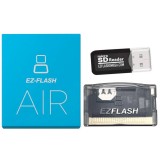
EZ-Flash Air GBA Flashcart

EZ-Flash Air

Simple. Powerful. NORFLASH Focused.

A straightforward GBA flashcart featuring 960Mbit NORFLASH, Real-Time Clock, cheats, rumble and useful Nintendo DS functionality.

VIEW EZ-FLASH AIR ›
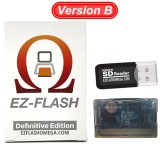
EZ-Flash Omega Definitive Edition B GBA Flashcart

EZ-Flash Omega Definitive Edition B

Advanced. Flexible. Feature Packed.

PSRAM direct loading, expanded NORFLASH, save states, FRAM, rumble and advanced Nintendo DS functionality.

VIEW EZ-FLASH OMEGA DEFINITIVE EDITION ›

If you are looking for a flashcart for the Game Boy Advance, two of the most interesting choices in the EZ-Flash lineup are the EZ-Flash Air and the EZ-Flash Omega Definitive Edition.

While both cartridges allow you to store your files on a microSD card and use them with compatible Game Boy Advance hardware, they take different approaches to loading and managing those files.

The EZ-Flash Air is built around a straightforward microSD-to-NORFLASH design, while the EZ-Flash Omega Definitive Edition provides a more extensive collection of features including PSRAM direct loading, NORFLASH storage, save states, sleep functionality, emulation features and additional Nintendo DS functions.

QUICK OVERVIEW

EZ-Flash Air: A straightforward GBA flashcart built around a large 960Mbit NORFLASH area, with RTC, cheats, rumble and Nintendo DS features.

Omega Definitive Edition: The more feature-rich option, combining PSRAM loading and NORFLASH with save states, FRAM save storage, sleep mode, emulation and expanded Nintendo DS functionality.

Quick Navigation

Quick Comparison
EZ-Flash Air
EZ-Flash Omega Definitive Edition
EZ-Flash Omega Definitive Edition B
PSRAM vs NORFLASH
DS / DS Lite Features
Which One Should You Choose?
Compare & Shop

EZ-Flash Air vs Omega Definitive Edition: Quick Comparison

Before examining each cartridge in detail, here is a quick look at some of the major differences between the EZ-Flash Air and Omega Definitive Edition.

Feature
EZ-Flash Air
EZ-Flash Omega Definitive Edition
GBA Support
Yes
Yes
microSD Support
4GB - 128GB
4GB - 128GB
PSRAM Direct Loading
No
Yes
NORFLASH
960Mbit
Yes — expanded on DE B
Improved NOR Management
Yes
Yes on DE B
Real-Time Clock
Yes
Yes
Cheat Support
Yes
Yes
Rumble
Yes
Yes
Save States
No
Yes
Sleep Function
—
Yes
Customizable Hotkeys
—
Yes
GB / GBC / NES Emulation
—
Yes
FRAM Save Storage
—
Yes
GBA-to-DS Link
Yes
Yes
DS Rumble
Yes
Yes
DS RAM Expansion
—
Yes
Upgradeable Firmware / Kernel
Yes
Yes
Mobile users: Swipe left or right on the comparison table to view all columns.

EZ-Flash Air: A Simpler Approach to GBA Flashcarts

The EZ-Flash Air takes a somewhat different approach from the Omega series.

Rather than relying on PSRAM to directly load GBA files from the microSD card, the Air uses the microSD card as your main file library and allows selected files to be written into the cartridge's large 960Mbit NORFLASH.

Once a file has been written to NORFLASH, it remains there even after the console is switched off. This means your frequently used games and applications can remain installed on the cartridge and be accessed again without having to transfer them from your computer.

WHY 960Mbit NORFLASH MATTERS

The EZ-Flash Air's large onboard NORFLASH allows multiple files and applications to remain stored directly on the cartridge at the same time.

The exact number of files that can be stored simultaneously depends on the size of each individual file.

Improved NORFLASH management also makes it easier to manage files installed on the cartridge. Individual entries can be removed and available NORFLASH space can be reused, while NORFLASH usage can be checked directly from the menu.

Key EZ-Flash Air Features

✔ 960Mbit onboard NORFLASH
✔ microSD cards from 4GB to 128GB
✔ Improved NORFLASH file management
✔ Real-time NOR usage information
✔ Real-Time Clock (RTC)
✔ Cheat support
✔ Rumble support
✔ Soft reset support
✔ Dual operating modes
✔ GBA-to-Nintendo DS Link support
✔ Nintendo DS Rumble functionality
✔ Upgradeable firmware and kernel

EZ-Flash Omega Definitive Edition: The Feature-Packed Option

The EZ-Flash Omega Definitive Edition takes a different approach by combining multiple types of onboard memory with a much broader collection of software and hardware features.

One of the most important differences is PSRAM.

Instead of requiring every compatible GBA file to first be permanently written to NORFLASH, files can be loaded into PSRAM and launched without occupying permanent NORFLASH storage.

NORFLASH remains available when you want selected games or applications to remain stored directly on the cartridge.

THE ADVANTAGE OF PSRAM + NORFLASH

PSRAM is ideal when you want to browse your microSD library and conveniently load different compatible GBA files.

NORFLASH can then be reserved for favorite games and applications that you want to remain installed on the cartridge.

Additional Definitive Edition Features

✔ PSRAM direct loading
✔ NORFLASH storage
✔ FRAM save storage
✔ Save states
✔ Sleep functionality
✔ Customizable hotkeys
✔ GB / GBC / NES emulation support
✔ Real-Time Clock
✔ Cheat support
✔ Built-in rumble
✔ Nintendo DS RAM Expansion functionality
✔ Replaceable RTC battery

The Newer EZ-Flash Omega Definitive Edition B

The updated EZ-Flash Omega Definitive Edition B expands the capabilities of the Definitive Edition platform even further.

The newer hardware supports files as large as 512Mbit (64MB) for direct loading while also providing expanded NORFLASH capacity and improved NORFLASH management.

EZ-FLASH OMEGA DEFINITIVE EDITION B

512Mbit Direct File Support
Directly load files up to 512Mbit (64MB).

Expanded NORFLASH Storage
Provides additional space for files stored in NORFLASH.

Improved NOR Management
Files can be individually removed and available space reused without having to erase files sequentially from the end.

Real-Time NOR Usage
View NORFLASH usage directly from the menu for easier storage management.
IMPORTANT: EZ-FLASH OMEGA DEFINITIVE EDITION B KERNEL

The Omega Definitive Edition B uses its own compatible kernel. Always make sure that you download and install the kernel intended specifically for your hardware revision.

Check your cartridge version before performing firmware or kernel updates.

The Biggest Difference: PSRAM vs NORFLASH

For many users, this is the most important difference to understand when deciding between the EZ-Flash Air and Omega Definitive Edition.

How the EZ-Flash Air Works

microSD Card
↓
NORFLASH
↓
PLAY


With the Air, your microSD card acts as your main file library. The games or applications you want to use are transferred into the cartridge's NORFLASH.

Once written, they remain there until you choose to remove them.

How the EZ-Flash Omega Definitive Edition Works

microSD Card
↓
PSRAM
↓
PLAY


OR

microSD Card
↓
NORFLASH
↓
KEEP INSTALLED


The Definitive Edition gives you both options. PSRAM can be used for convenient loading, while NORFLASH can be used for files that you want to keep installed on the cartridge.

Rumble and NDS / NDS Lite Features

Both cartridges offer functionality that extends beyond basic GBA flashcart operation.

Rumble support allows compatible software to provide physical feedback, while Nintendo DS functionality adds additional possibilities when the cartridges are used with compatible Nintendo DS hardware.

The Omega Definitive Edition's dual operating modes are particularly versatile. Depending on the selected function, the cartridge can provide GBA-to-DS Link support, Nintendo DS Rumble Pak functionality and RAM Expansion functionality.

The Air also provides GBA-to-DS Link and DS Rumble functionality, giving it useful capabilities beyond straightforward GBA operation.

DS & DS Lite OWNERS

If you also use an original NDS or NDS Lite, the additional Slot-2 functionality of these cartridges may be particularly useful.

Save States and Extra Features

Another significant distinction between the two cartridges is the collection of additional software features included with the Omega Definitive Edition.

The Definitive Edition includes save states, allowing the current state of compatible software to be saved separately from its normal built-in save system.

It also includes sleep functionality, customizable hotkeys and support for Game Boy, Game Boy Color and NES software through compatible emulators.

These features are not essential for everyone, but they substantially increase the number of things that can be done with the cartridge.

Which EZ-Flash Should You Choose?

The better choice depends primarily on the way you intend to use your GBA flashcart.

CHOOSE THE EZ-FLASH AIR IF...

✔ You primarily want a straightforward GBA flashcart.

✔ You prefer keeping a selection of favorite games installed in NORFLASH.

✔ 960Mbit of onboard NORFLASH is important to you.

✔ You want RTC, cheats and rumble without needing all of the Definitive Edition's additional features.

✔ You want GBA-to-DS Link and DS Rumble functionality.

VIEW EZ-FLASH AIR ›
CHOOSE THE EZ-FLASH OMEGA DEFINITIVE EDITION IF...

✔ You frequently switch between different GBA files.

✔ You want the convenience of PSRAM direct loading.

✔ You want both PSRAM and NORFLASH storage options.

✔ Save states are important to you.

✔ You want GB, GBC and NES emulation support.

✔ You want sleep mode and customizable hotkeys.

✔ You want FRAM-based save storage.

✔ You want expanded Nintendo DS functionality.

VIEW OMEGA DEFINITIVE EDITION ›

Two Different Approaches to GBA Flashcarts

Rather than thinking of the EZ-Flash Air as simply a less expensive version of the Omega Definitive Edition, it makes more sense to view the two cartridges as taking different approaches to GBA flashcart design.

The EZ-Flash Air emphasizes NORFLASH. You select the games and applications you want from your microSD card, write them into its generous onboard NORFLASH storage and keep them there for convenient access.

The EZ-Flash Omega Definitive Edition emphasizes flexibility. PSRAM provides convenient loading from your microSD library, NORFLASH provides persistent onboard storage, and its additional software and Nintendo DS features provide considerably more functionality.

THE BOTTOM LINE

EZ-Flash Air
A great option for users who want a straightforward GBA flashcart with a large amount of onboard NORFLASH, RTC, cheats, rumble and useful Nintendo DS functionality.

EZ-Flash Omega Definitive Edition
Designed for enthusiasts who want greater flexibility and a broader feature set, including PSRAM loading, NORFLASH, save states, FRAM, sleep mode, emulation and expanded Nintendo DS functionality.

EZ-Flash Omega Definitive Edition B
The updated B hardware expands the Definitive Edition platform further with support for directly loading files up to 512Mbit, additional NORFLASH capacity and improved NORFLASH management.

Compare & Shop

Choose the EZ-Flash model that best matches the features you want.

Buy EZ-Flash Air GBA Flashcart

EZ-Flash Air

✔ 960Mbit NORFLASH
✔ Up to 128GB microSD
✔ Real-Time Clock
✔ Cheat Support
✔ Built-In Rumble
✔ Soft Reset
✔ Improved NOR Management
✔ DS Link Support
✔ DS Rumble Pak Support

VIEW EZ-FLASH AIR
View current pricing, availability and package options
Buy EZ-Flash Omega Definitive Edition B

EZ-Flash Omega Definitive Edition B

✔ PSRAM Direct Loading
✔ Expanded NORFLASH
✔ Up to 128GB microSD
✔ FRAM Save Storage
✔ Save States
✔ Real-Time Clock
✔ Built-In Rumble
✔ Sleep Function
✔ Advanced Nintendo DS Features

VIEW EZ-FLASH OMEGA DEFINITIVE EDITION
View current pricing, availability and package options
STILL NOT SURE?

If you primarily want a straightforward GBA flashcart with a large amount of NORFLASH storage, the EZ-Flash Air provides the essential features in a simple package.

If you want PSRAM direct loading, save states, FRAM, sleep mode, emulation support and the broadest collection of additional features, the EZ-Flash Omega Definitive Edition provides the more extensive feature set.
Responsible Use: EZ-Flash cartridges can be used with homebrew software, independently developed applications and personal backups where permitted. Users are responsible for ensuring that their use of software and game files complies with applicable copyright laws.